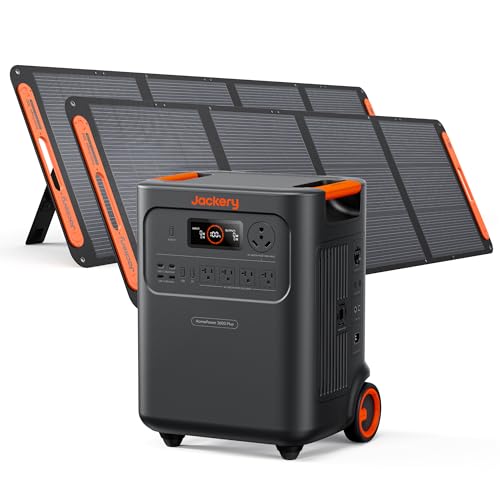
Parallel charging portable power stations lets you combine two units into a single larger battery bank. This approach doubles capacity, increases output amperage, and provides redundancy for off-grid reliability. Below is our complete setup guide for parallel charging portable power stations.
How this guide was produced: Outdoor Power Reviews does not buy or test the products it covers. This guide draws on manufacturer specifications, manuals and documentation, safety and certification listings, and publicly available owner reports and third-party reviews.
What Is Parallel Charging for Power Stations?
Parallel charging connects two portable power stations so they act as one combined energy source. The battery management system (BMS) of each unit communicates through a dedicated parallel cable kit. When properly synchronized, the units share load balancing circuitry, deliver combined wattage, and charge simultaneously from a single solar input or AC source. This is not simple daisy-chaining of output ports. True parallel charging requires matching models, same capacity, and compatible firmware.
The architecture relies on DC coupling cables that link the high-voltage DC bus of each unit. Common connectors include XT90 connectors and Anderson SB50 connectors. The BMS monitors voltage regulation in parallel systems to prevent overcurrent and cell imbalance. When done correctly, charge time reduction can reach 50 percent compared to charging a single large unit of equivalent total capacity.
Which Power Stations Support Parallel Charging Setup
Not every portable power station supports parallel charging. Manufacturers must design the BMS for dual unit synchronization and provide a parallel cable kit.
EcoFlow DELTA Series
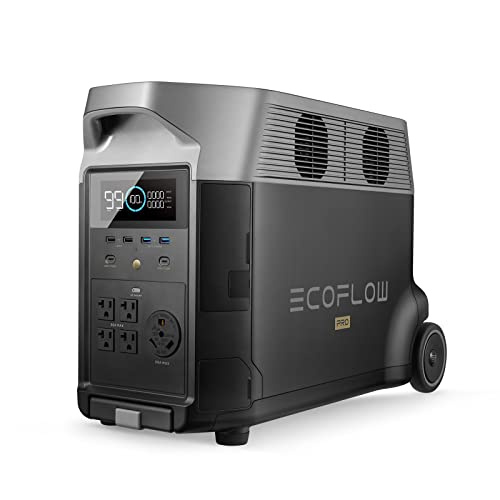
The EcoFlow DELTA Pro, DELTA Max, and original DELTA support parallel charging with the EcoFlow Double Voltage Hub. The hub uses proprietary parallel cables that connect to the expansion port. The EcoFlow app manages load balancing between units automatically. This is the most mature parallel charging portable power stations ecosystem on the market.
Bluetti AC500
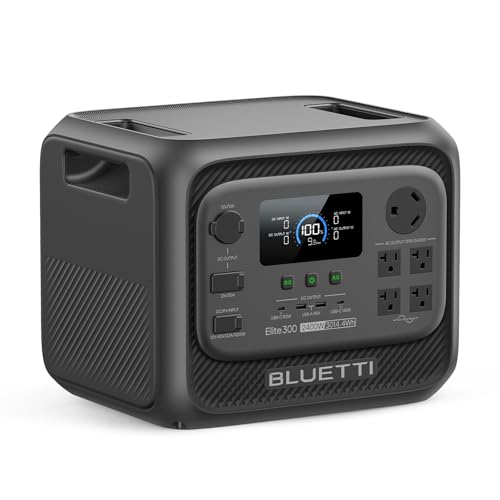
The Bluetti AC500 with B300S expansion batteries supports parallel linking of two AC500 units via the P030A parallel cable kit. Each AC500 can accept up to six B300S packs. When two AC500 units are paralleled, the system provides 10,000W continuous output and 240V capability. The Bluetti app shows real-time load balancing and state of charge for each unit.
Goal Zero Yeti Pro Series
The Goal Zero Yeti Pro 4000 and Yeti Pro 2000 support parallel linking with the Yeti Parallel Kit. The kit uses Anderson SB50 connectors and a communication cable for BMS synchronization. The Yeti app provides per-unit monitoring. Note that older Yeti models (1500X, 3000X) do not support parallel charging.
Jackery Explorer Pro
As of June 2026, Jackery Explorer Pro models (2000 Pro, 1000 Pro) do not support native parallel charging. Jackery offers capacity expansion via battery packs (e.g., Battery Pack 2000 Plus) but not dual unit synchronization. If you need parallel charging portable power stations, Jackery is not currently an option.
DJI Power Station
The DJI Power 1000 and Power 500 do not support parallel linking. DJI focuses on fast single-unit charging and modular battery expansion for their drone ecosystem. They have not released a parallel cable kit or firmware for dual unit synchronization.
How to Set Up Parallel Charging in 6 Steps
Step 1: Verify Matching Models and Same Capacity
Parallel charging requires identical models with the same firmware version. Mixing a DELTA Pro with a DELTA Max will not work. The BMS expects matching models with same capacity to maintain voltage regulation in parallel systems. Check the manufacturer’s compatibility chart before purchasing a second unit.
Step 2: Obtain the Correct Parallel Cable Kit
Each brand uses proprietary connectors. EcoFlow uses a Double Voltage Hub with proprietary parallel cables. Bluetti uses the P030A kit with XT90 connectors for power and a data cable for BMS communication. Goal Zero uses Anderson SB50 connectors with a communication cable. Do not attempt to build custom cables. Incorrect wiring can damage the BMS and void warranties.
Step 3: Update Firmware on Both Units
Connect each unit to its app and update to the latest firmware. Firmware mismatches are the most common cause of synchronization failure.
Step 4: Power Off Both Units Before Connecting
Turn off both power stations completely. Connect the parallel power cables first, then the communication cable. The order matters. The BMS handshake occurs during power-on sequence. If the communication cable is not seated, the units will not enter parallel mode and may throw an error code.
Step 5: Power On and Verify Synchronization
Power on the primary unit first (usually the one connected to the app), then the secondary. The app should display a parallel mode indicator and show combined capacity. Run a test load (e.g., a 1500W space heater) and confirm both units share the load evenly. The load balancing circuitry should split amperage within 5 percent.
Step 6: Configure Charging Inputs
For solar input, connect panels to the primary unit only. The parallel system manages solar input distribution internally. For AC charging, plug the charger into the primary unit. The combined charge rate equals the sum of each unit’s max AC input. Two DELTA Pro units charge at 3600W total (1800W each). This is where charge time reduction shines.
Safety Considerations for Parallel Charging Portable Power Stations
Parallel charging portable power stations introduces electrical complexity. Follow these safety rules to protect your equipment and prevent damage.
- Use only manufacturer-approved parallel cable kits. Custom cables risk short circuits, BMS damage, and fire.
- Never parallel charge incompatible models. Voltage differences between dissimilar battery packs cause uncontrolled current flow. This can trigger thermal runaway.
- Monitor temperature during first cycles. Run the combined system at 80 percent max load for one hour. Check each unit’s exterior temperature. If one unit runs significantly hotter, stop and contact support.
- Do not exceed combined continuous output rating. Two 3600W units provide 7200W combined. Drawing 8000W will trip both BMS units and may damage inverters.
- Keep units on a flat, non-flammable surface with ventilation. Parallel operation increases total heat output. Maintain at least 6 inches of clearance on all sides.
We recommend reading the NEC guidelines for DC systems (NFPA 70 Article 706) for stationary installations. For mobile use, secure units to prevent cable strain during transport.
Is Parallel Charging Better Than One Large Unit?
The answer depends on your use case.
| Factor | Two DELTA Pro (Parallel) | Single Large Unit (Equivalent) |
|---|---|---|
| Total Capacity | 7.2 kWh (3.6 + 3.6) | 7.2 kWh |
| Max Continuous Output | 7200W | 7200W (if exists) |
| Charge Time (AC) | 1.8 hours (3600W combined) | 3.6 hours (1800W typical) |
| Redundancy | Yes – one unit fails, other works | No – single point of failure |
| Portability | Two 99 lb units (movable separately) | One ~200 lb unit (requires wheels/team) |
| Scalability | Add more units later (some brands) | Fixed capacity |
| Complexity | Higher (cables, sync, firmware) | Lower (plug and play) |
Real-World Use Cases for Parallel Charging
Parallel charging portable power stations excels in specific scenarios. Understanding where it delivers value helps you decide if it matches your needs.
Van Life and Mobile Off-Grid
Two smaller units distribute weight better than one large battery. You can power essential loads from one unit while the second charges via rooftop solar. If one fails in the field, you still have backup power. Parallel charging portable power stations in a van also allows you to upgrade capacity without replacing your entire system.
Campground and Base Camp Setup
Extended camping trips benefit from doubled capacity and faster charge cycles. Two units paralleled with a large solar array (4000W+) can fully recharge daily, even during cloudy conditions. This eliminates generator dependency for most campers.
Home Backup Power and Off-Grid Cabins
Parallel charging portable power stations provides scalable resilience. Start with one unit, add a second later if your power needs grow. This is more flexible than buying an oversized system upfront.
Emergency Preparedness
Two independent units increase reliability during grid outages. One unit powers critical loads (medical equipment, refrigeration) while the other backs up communication devices and lighting. If one unit develops a fault, you still have functioning power.
Common Mistakes When Setting Up Parallel Charging
Here are the top pitfalls we recommend avoiding when setting up parallel charging portable power stations.
- Mixing firmware versions: Always update both units to identical firmware before attempting parallel mode. Version mismatches prevent BMS synchronization.
- Connecting cables in the wrong order: Power cables must connect before communication cables. Reversing this order confuses the BMS.
- Using non-approved cables: Third-party parallel cables often have incorrect pin configurations. Stick with manufacturer kits only.
- Exceeding combined output limits: Drawing more than the combined continuous wattage rating will trip breakers on both units and damage inverter circuits.
- Forgetting to ground the system: Some installations require grounding the DC bus. Check your unit’s manual for grounding requirements in parallel mode.
- Unbalanced charge inputs: If you connect solar to both units independently, the BMS cannot balance voltage. Always connect inputs to the primary unit only.
Comparison of Parallel Cable Kits
Each manufacturer’s parallel charging portable power stations kit differs in connector type, data protocol, and cost.
| Brand | Cable Kit Name | Power Connector | Data Protocol | Setup Difficulty |
|---|---|---|---|---|
| EcoFlow | Double Voltage Hub | Proprietary | Proprietary Serial | Easy |
| Bluetti | P030A Parallel Kit | XT90 | CAN Bus | Medium |
| Goal Zero | Yeti Parallel Kit | Anderson SB50 | Serial (RJ45) | Medium |
Troubleshooting Parallel Charging Issues
Parallel charging portable power stations sometimes encounters synchronization errors. Most issues resolve with basic troubleshooting.
Units Do Not Recognize Parallel Mode
Solution: Power cycle both units completely. Disconnect all cables. Update firmware on both. Reconnect power cables first, communication cable second. Power on primary unit first, secondary second. Check app for parallel indicator.
Load Balancing Shows Uneven Split (>10% difference)
Solution: This indicates slight voltage drift between units. Disconnect the system and check that both units have identical charge levels. Re-synchronize by running a discharge cycle at 50% load for 30 minutes, then reconnect. If imbalance persists, contact manufacturer support.
One Unit Charges Faster Than the Other
Solution: This is normal during AC charging if the primary unit’s charger has slightly higher current output. The BMS compensates over time. If the difference exceeds 15%, the units may have different battery chemistries or ages. Consider replacing the older unit.
Frequently Asked Questions About Parallel Charging
Can I parallel charge three or more power stations?
Most manufacturers support only two units in parallel. The BMS architecture is designed for dual synchronization. Attempting to connect three units risks voltage instability and synchronization failure. Check your manufacturer’s documentation.
Does parallel charging reduce the lifespan of my batteries?
No. When correctly configured, parallel charging distributes charging cycles evenly across both units. This can actually improve longevity by reducing strain on individual BMS circuits compared to rapid charging a single large unit.
What happens if one unit fails while paralleled?
If one unit develops a hardware fault, the BMS automatically disconnects it from the parallel loop. You lose the failed unit’s capacity but retain full functionality of the working unit. This is a key advantage over single large units.
Can I parallel charge solar panels into both units simultaneously?
No. Always connect solar input to the primary unit only. The internal load balancing circuitry distributes solar current across both units. Connecting panels to both units causes voltage conflicts and can damage the BMS.
Is parallel charging more expensive than buying one large unit?
Yes, parallel charging requires purchasing two units plus a cable kit. However, single units at 7000W+ capacity are rare and often cost more per watt. Parallel systems also offer modularity, redundancy, and future scalability that large single units cannot provide.
Final Thoughts on Parallel Charging Portable Power Stations
Parallel charging portable power stations is a practical solution for users who need doubled capacity, faster charging, and system redundancy. It requires careful setup and attention to firmware versions and cable connections, but the benefits justify the effort for serious off-grid users, van lifers, and emergency preparedness advocates.
We recommend starting with one unit, testing your power needs for a month, then adding a second unit if you find yourself frequently depleting capacity.
If you are considering parallel charging portable power stations for your setup, prioritize model compatibility, firmware updates, and manufacturer-approved cables. Avoid shortcuts with custom wiring or incompatible brands. The investment in proper setup today prevents costly repairs and safety risks tomorrow.
Have you parallel charged portable power stations in your off-grid system? Share your experience in the comments below. We read and respond to every question from our readers.